
Learning how to reduce screen time starts with measuring, then changing one habit a week. Read your phone’s built-in usage report first, and trim only the uses that crowd out sleep, meals or people.
This plan sits within our wider guide to healthy daily habits. The changes are in a suggested order, not ranked by effect. The evidence does not show that any one of them beats the others, so choose the order that fits your day.
The one-change-a-week approach
A reduction plan works best when it is small enough to keep. Sanford Health describes cutting back by even one hour a week as a great first step. Making a single change and keeping it for a week also lets you see which habit made a difference, which many simultaneous rules would hide.
The reason to bother is displacement. Time on screens leaves less time for sleeping, exercising, or spending time with friends and family. Judge each change by what it hands back, not by the number on the screen alone.
- Measure your current use.
- Silence notifications.
- Cap social media with time limits.
- Dull the display with grayscale.
- Clear meals of screens.
- Protect the hour before bed and keep the bedroom device-free.
- Replace screen time with offline company.
The changes, in order
Measure your use first
You cannot judge a cut without a baseline. Phones include built-in screen time tracking features, usually found in the settings menu under a digital wellbeing or screen time heading. Open the daily summary and note which apps take the most time. Look at the app breakdown, not only the daily total, because the breakdown shows which habit to change first.
Spend the first week only observing. This suits anyone who suspects they use their phone a lot but is unsure where the time goes. Do not set any limits yet.
Turn off notifications
Alerts pull you back to the phone when you had no intention of picking it up. The advice from Peak Vista is to turn off notifications to reduce distractions and help you enjoy real-life activities. Start with the apps at the top of your usage report, especially social media, and leave on only what you need, such as calls from family.
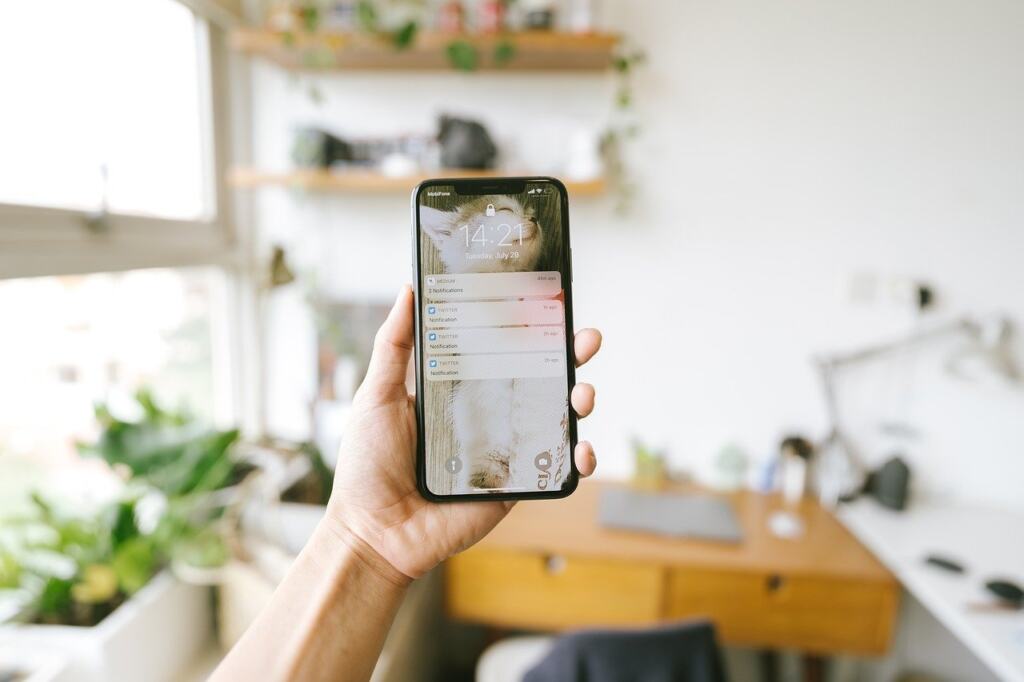
Expect a slightly strange first few days, since you will check the phone out of habit. If you find yourself checking anyway, the alert was not the only trigger, and the next change matters more.
Set time limits on social media
Social media is the category where a cap tends to matter most, because apps designed for scrolling have no natural end. Peak Vista advises you to set time limits for how long you use social media on your phone or computer. Your phone’s digital wellbeing settings can enforce a daily allowance for a chosen app and prompt you when it runs out.
Set the limit from your measured baseline, not from an aspirational figure. A limit you override every day teaches you to ignore the prompt. Tighten it only after you have kept the current one for a week.
Make the screen less appealing
Colour is part of the pull. Peak Vista suggests you change your phone’s display to grayscale, making it less colorful and attractive. This is a good fit if time limits feel too blunt for you, because it leaves every app available but makes idle browsing less rewarding. The setting is usually in the accessibility or digital wellbeing menus, and you can reverse it in seconds for tasks that need colour, such as photos or maps.
Keep meals screen-free
Sanford Health advises you to avoid screens during meals as well as near bedtime. A meal has a clear beginning and end, so this is among the easiest rules to follow and to notice when you break it. It suits households who eat together, and it works alone too if you put the phone in another room.
Protect the hour before bed
The same Sanford guidance says to avoid screens within an hour of bedtime, noting that screens in the bedroom can interfere with sleep, which affects mood, energy and focus. The U.S. Surgeon General’s advisory goes further for families and recommends device-free bedrooms and family media plans.
In practice, a phone-free hour before bed is easiest when the phone has a charging spot outside the bedroom or at least out of arm’s reach. A charger across the room also removes the temptation to check the phone in the night. Use a simple alarm clock if the phone was your alarm. The hour is a practical guideline from a health system, not a measured threshold, so treat it as a starting point and adjust to your own sleep.

If better nights change how you feel in the afternoon, the guide that asks are naps good for you covers daytime rest. Once evenings are settled, a healthy morning routine can keep the first minutes of the day off the phone as well.
Fill the gap with people
A cut sticks when something replaces it. Because screen time reduces time with friends and family, the simplest replacement is meeting them without devices on the table. Put phones in a bag during a coffee or a walk, and agree on it in advance so nobody feels ignored. This final change suits people whose main reason for cutting back is feeling disconnected from those around them.
Choosing which change to start with
| Change | What it targets | Best suited to | Planning use |
|---|---|---|---|
| Notifications off | Distraction from alerts | Frequent phone checkers | Quick to do, and a good second week once you know the busiest apps |
| Social media time limits | Open-ended scrolling | Heavy social app users | Set from your measured baseline, then tighten gradually |
| Grayscale display | Appeal of the screen | People who browse idly | Easy to reverse, so low risk to try |
| Screen-free meals | Habit during eating | Households and desk eaters | Clear start and end, so easy to judge |
| Phone-free hour before bed | Sleep and bedroom use | Anyone who is tired or sleeps badly | Pair it with a charging spot away from the bed |
| Offline social time | Time lost to friends and family | People who feel disconnected | Works best last, once other habits free up time |
The table draws on guidance from Sanford Health and Peak Vista, which are health-system advice rather than trial results.

If you must choose one, pick the change that targets your biggest measured habit. A heavy scroller should start with a social media limit, and a poor sleeper with the bedtime hour.
Social media and mental health: what the evidence supports
The research shows association more than proof. The U.S. Surgeon General’s advisory says the evidence is still evolving and much of it is observational, but that there is already enough reason for action. The advisory lists sleep disruption, reduced physical activity, obesity, myopia, anxiety and depression among harms linked to excessive or poorly controlled screen use.

A study of 5,100 children, described by Peak Vista, found that those who spent the most time on social media were more likely to have mental health problems. That is an association. It does not show whether heavy use causes the problems, whether struggling children turn to social media more, or whether another factor drives both.
Two practical conclusions follow. First, you do not need proof of harm to run a low-cost experiment on your own habits. Second, expect the plan to help your sleep, meals and time with people more reliably than to fix a mental health problem. If low mood or anxiety persists, see a health professional rather than relying on screen limits.
Adapting the plan for children and families
The Surgeon General’s advisory frames its guidance around children and adolescents, and recommends the 5 Ds: Discuss, Do model, Delay, Divert and Disconnect. It asks adults to discuss screen rules and content, model healthy behavior, and delay access as long as possible. Modelling matters in practice, because a household where adults follow the rules is easier to change than one where only the children are restricted.
For the youngest children, Healthy Kids Healthy Future recommends no screen time for children under age two. Families can adopt the same measure-first, one-change-a-week rhythm, starting with device-free bedrooms and screen-free meals.
Frequently asked questions
Why change only one thing a week?
A single change is easier to keep and easier to judge. Sanford Health calls cutting back by even one hour a week a great first step, so a small, steady change is a reasonable starting point.
What are the American Academy of Pediatrics’ 5 Cs of media use?
They are Child, Content, Calm, Crowding Out and Communication, an approach the American Academy of Pediatrics offers as a simpler way to think about media use, according to Sanford Health. The “crowding out” idea matches this plan’s focus on what screens displace.
Can I track screen time without a phone feature?
Yes. Healthy Kids Healthy Future suggests tracking screen time with a scheduling sheet. That is a practical option if you dislike built-in tracking or share a device.
Do I have to quit social media to benefit?
No. The advice here is to set time limits and turn off notifications, not to quit. The evidence on social media and mental health is largely observational, so the plan treats limits as a sensible experiment rather than a guaranteed cure.